Make a GIF of Yourself — A Reaction Pack from One Selfie
Stop searching for the right reaction GIF — be it. Upload one photo, pick your reactions, and AI makes each one with your face (or your cat's). Send them in group chats, Discord, WhatsApp or Instagram DMs.
Each reaction takes about a minute and uses 1 credit. Only upload photos you have the rights to use.
One picture, twelve reactions
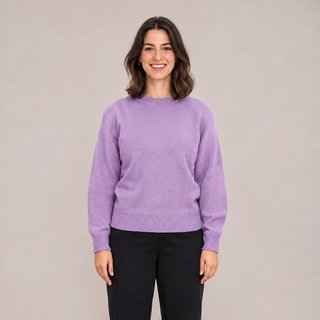
Photo-style reactions
Twelve reactions from one AI-generated photo reference.



Pet reactions
The same twelve reactions from one puppy reference.


Tips for a great make a gif of yourself result
- Use a clear, front-facing photo with good light — glasses, hair and colours carry across every reaction.
- Pets work too: a photo where the face is in focus gives the best results.
- Start with a few reactions, then come back for more with the same photo.
FAQ
How do I make a GIF of myself for Discord?
Make your pack here, download the reactions you like, then use the Discord emoji export to get 128×128 files under 256 KB for your server.
How do I make a GIF of myself on WhatsApp or iPhone?
Download the GIFs to your phone and send them like any other GIF — or convert one to a WhatsApp sticker with our sticker tool.
How much does a pack cost?
Each reaction uses 1 credit, and the button shows the total before you start. New visitors get 2 free credits.
Will it look like me?
Every frame of a reaction is drawn from your photo, so the result stays close to it. Results vary with the photo — a clear, well-lit one works best.
Is my photo stored?
Your photo is used only to make your GIFs and isn't stored by us.